
GitHub Copilot Automations become team agents: who pays and who approves their work?
On October 28, 2026, GitHub announced shared Copilot Automations for teams. Unlike personal automations, these can persist as repository-owned workflows. The significant advance is operational ownership rather than another AI prompt.
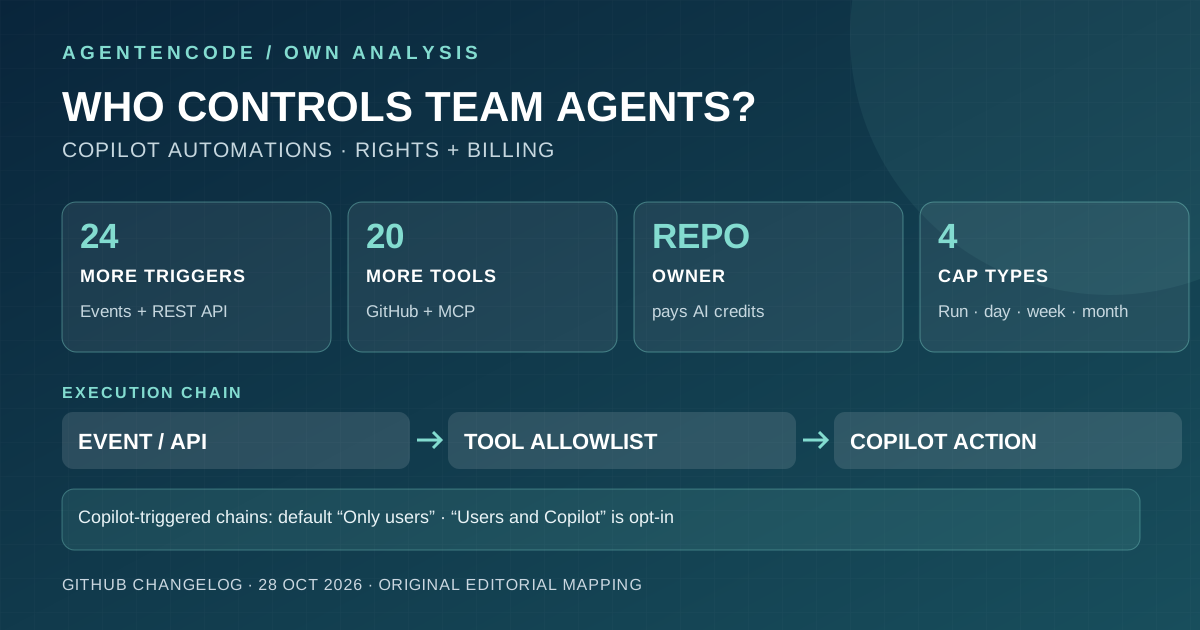
GitHub introduces shared Copilot Automations with 24 new triggers, 20 tools, MCP and AI credit caps. Governance matters.
Sources and limitations
- Primary sources
Official October 28, 2026 announcement.
- Not tested
No independent product, performance or security testing.
A shared team resource
People with repository read access can view a shared automation and those with write access can edit it. Actions are attributed to Copilot. A change history records prompts, triggers and tool choices. Shared workflows survive the departure of their original creator, improving continuity but requiring ongoing accountability.
More triggers and tools
GitHub adds 24 event triggers across issues, pull requests, discussions and security alerts, plus 20 GitHub tools. External services can start runs via a REST API. Workflows may chain upon success or failure. Duplicate events and unbounded chains deserve explicit testing.
MCP does not confer blanket permissions
Custom MCP servers may add tools, but teams select which tools an automation is allowed to use. Prompts are not a substitute for real permission enforcement. Write access, production credentials, merge capabilities and hostile issue contents all create separate risk boundaries.
Who pays?
Shared automations bill AI credits to the repository owner rather than the creator. GitHub adds per-run, daily, weekly and monthly caps. Reaching a cap stops or blocks runs. Spending controls do not establish correctness or safety.
Rollout and prerequisites
Shared workflows are rolling out to Copilot Pro, Pro+, Max, Business and Enterprise. Organization repositories need a policy allowing cloud-agent usage billed to the organization. GitHub says the personal/shared type cannot be changed after creation, so not every account can be assumed to have access immediately.
A repeatable trial
Start with a separate test repository and one read-only issue trigger. Then allow a narrowly scoped write tool. Record repeated events, attempted actions, permission denials, actual changes, time and credits. AgentenCode has not run these workflows independently and does not report benchmark scores.
What this means
A persistent agent needs a clear owner, revokeable permissions, cost center, audit trail and stop mechanism. See our Copilot profile, permissions checklist and methodology.
Original AgentenCode control matrix: what a shared Copilot agent can do
Shared automation introduces more than one permission boundary: workflow visibility and editing, triggers, GitHub/MCP tool access, and billing. This original AgentenCode decision matrix integrates GitHub's October 28 first-party announcements. The final column contains our recommendations, not vendor-certified safeguards.
| Control question | GitHub's documented behavior | AgentenCode decision guidance |
|---|---|---|
| Who can inspect or modify a shared agent? | Repository read permission grants visibility; write permission allows editing. | Restrict prompt, event and tool-configuration changes and review their history. |
| Whose identity acts? | GitHub actions are attributed to Copilot; shared workflows survive the creator leaving. | Assign accountable maintainers, a stop mechanism and reviewable configuration history. |
| Who pays the AI credits? | The repository owner is billed, not the original automation author. | Assign an accountable owner and monitor costs per repository. |
| What can initiate a run? | 24 new events, external REST API triggers and chained automations. Chained triggers default to “Only users”. | Enable “Users and Copilot” only after duplicate-event and loop tests. |
| Which operations are permitted? | 20 additional GitHub tools and specifically selected tools from custom MCP servers. | Enforce access controls around write tools and secrets, not just prompt guidance. |
| What do credit caps stop? | Per-run caps stop a running automation; day/week/month caps prevent new runs until reset. All caps are optional. | Apply both per-run and aggregate caps, then assess prior write effects independently. |
| Who has access to the rollout? | Phased Pro, Pro+, Max, Business and Enterprise release; organization billing policy required. | Verify the actual account, organization and plan; do not imply universal GA. |
Vendor evidence versus own inference: Source facts from GitHub's shared automation launch and its tools, triggers and credit controls, October 28, 2026. Column three is AgentenCode's inference.
Three yes/no checks before production
- Ownership and spending
Can the team identify who pays AI credits and who is allowed to edit the workflow, tools and budgets? Do not go live without it.
- Events and write privileges
Start in a test repository with read-only tools. Keep Copilot-originated follow-up events disabled until deduplication and stop rules are tested.
- Evidence, not demo claims
Record failed and duplicated triggers, attempted writes, hostile issue text and credit-limit behavior. Call results a test only when real runs have been performed.
Original AgentenCode assessment: Repository ownership now combines long-lived accountability with billing. A per-run limit can stop later work but cannot certify earlier writes. Copilot-originated event chains alongside writable MCP tools increase the need for technical stop rules and permission boundaries.
Official primary sources
- GitHub Shared Automations
- GitHub Triggers, Tools and Costs
- GitHub: Cloud Automations in VS Code (VS Code 1.144, opt-in) – October 28, 2026
As of November 1, 2026. No independent security test.
Frequently asked questions
Is the feature available to everyone now?
No. GitHub describes a staged rollout with additional organization policies.
Who pays?
The repository owner is charged AI credits, subject to optional limits.
Did AgentenCode run an independent test?
No. This is a primary-source analysis, not a runtime benchmark.